SketchUp Plugin Tutorial
How to export Dynamic Components for the Konfiguruj configurator
The Konfiguruj Export plugin writes a zip with model.glb, parameters.json, and any texture images as needed; upload that zip to the configurator. Your model must use Dynamic Components with configurable parameters.
Installation
- Download the .rbz file using the button above.
- In SketchUp: Window → Extension Manager → Install Extension.
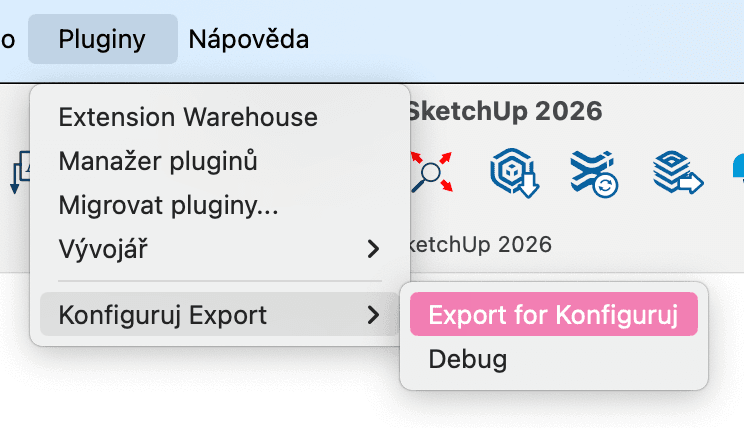
- Select konfiguruj_export.rbz. The plugin appears under Plugins → Konfiguruj Export.
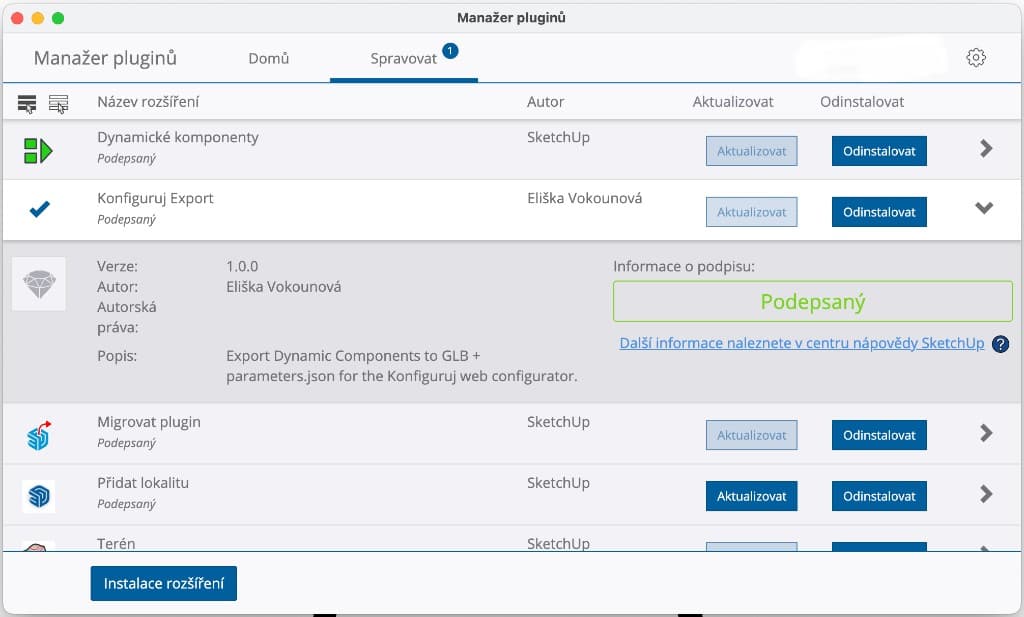
After installation, Konfiguruj Export appears in Extension Manager (Manage tab).
Supported entities
The plugin reads Dynamic Component attributes from:
- Groups – with Dynamic Component attributes in the dynamic_attributes dictionary
- Component instances – with Dynamic Component attributes
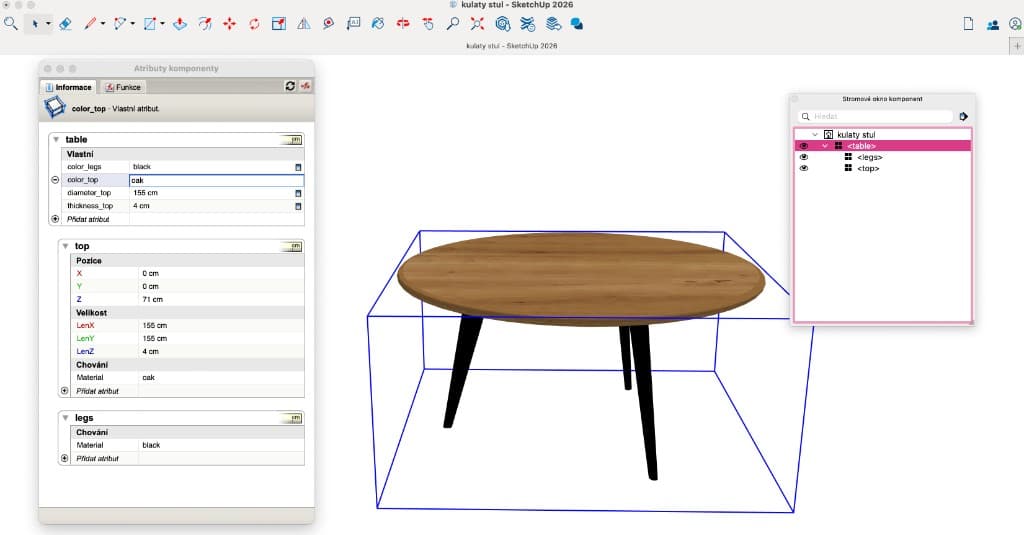
Example setup: a parent component with nested parts (e.g. top, legs) in the Outliner / Component Tree, and custom attributes on the parent in Component Attributes.
Parameters
Supported parameter types:
- Dimensions: LenX, LenY, LenZ, width, height, depth (and Czech: sirka, vyska, hloubka, prumer)
- Materials: color, barva, material
- Options: avariant, variant, typ
Formula syntax
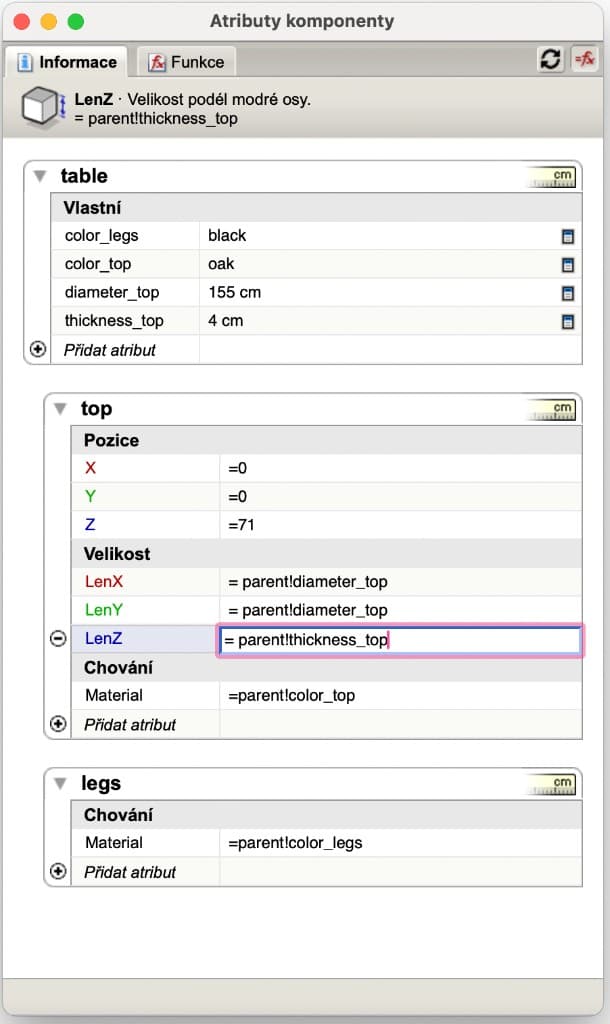
- Parent!param – references a parameter from the parent group/component
- ComponentName!param – references a parameter from another component (e.g. stul!leny)
Define custom attributes on the parent component; nested parts reference them with formulas such as =parent!param_name (dimensions, materials, etc.).
Effect types
- scale – scale mesh on axis (x, y, z, xz)
- position – position mesh from formula (e.g. from LenY)
- material – apply material/color to mesh
Export workflow
- Open a SketchUp model with Dynamic Components.
- Select the root group or component that contains your parameters.
- Plugins → Konfiguruj Export → Export for Konfiguruj.
- Choose save location (default: modelname_configurator.zip).
- Upload the zip to the configurator via Import from SketchUp.
Run export from the Plugins menu (labels match your SketchUp language).
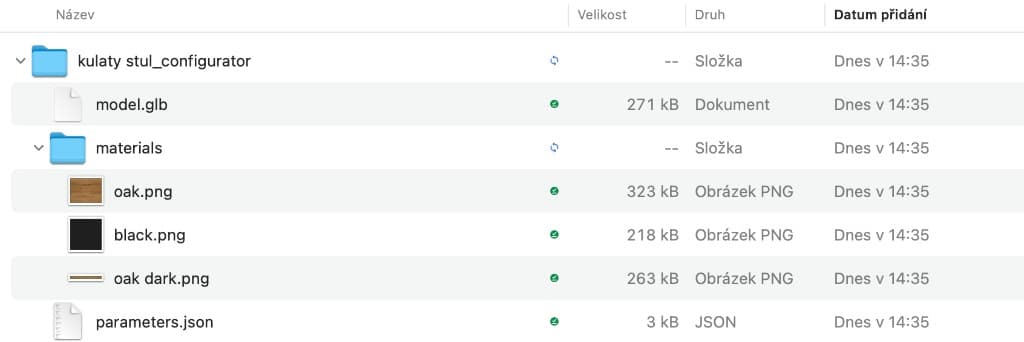
After unzipping you will always see model.glb and parameters.json; a textures folder (e.g. materials) and PNG files appear only when the export includes textured materials.
Materials
Only textured materials are exported as PNG. Color-only materials are skipped; the configurator supports textures. Dimension parameters are exported in cm (SketchUp returns inches; the plugin converts).
Troubleshooting
If the plugin does not export anything:
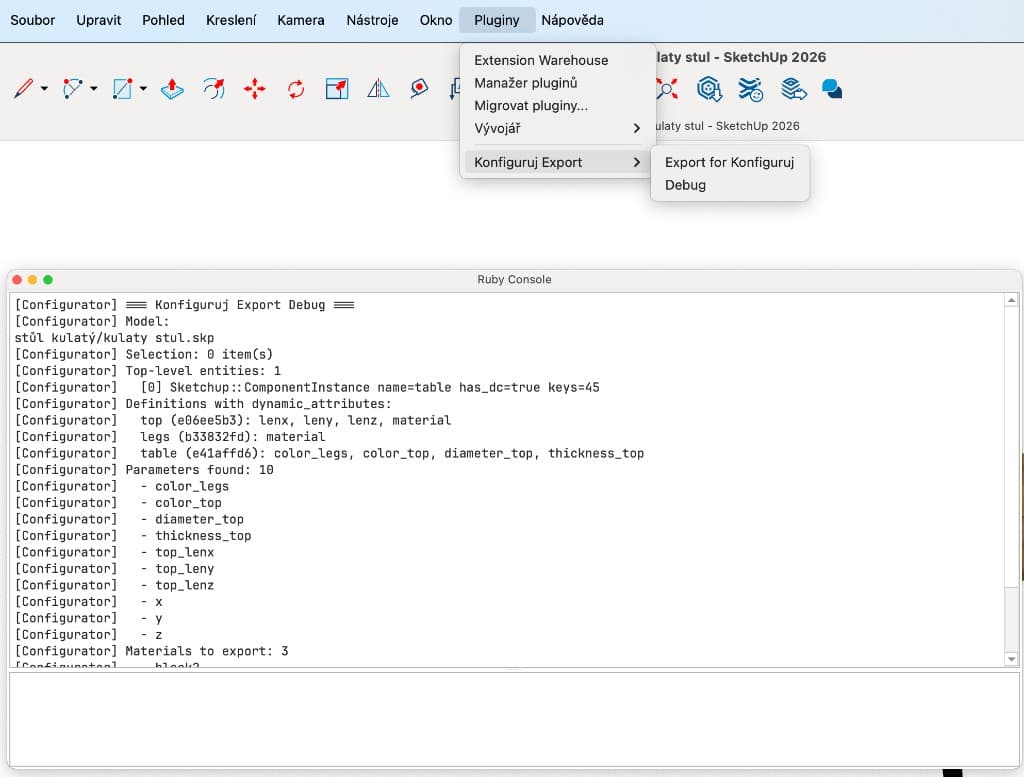
- Run Plugins → Konfiguruj Export → Debug and check the Ruby Console (Window → Ruby Console) for entities and parameters found.
- Ensure the root group/component with parameters is selected before running Export.
Use Plugins → Konfiguruj Export → Debug; the Ruby Console shows which components and parameters the plugin sees (e.g. Dynamic Component keys and exported parameter names).